Copyblogger Style Front Page Grid
A member of the Genesis community recently sent this message :
I am reading your posts and they are great, here you have a new member on January 1st, if I subscribe now I forget about ChristmasI’m trying to create the post on the frontpage as copyblogger.com does. I love it, do you think you can do a tutorial of those? If you tell me if I subscribe tomorrow. Thank you
Here’s what you can do using the Genesis Sample child theme to replicate how Copyblogger.com display posts on their front page :
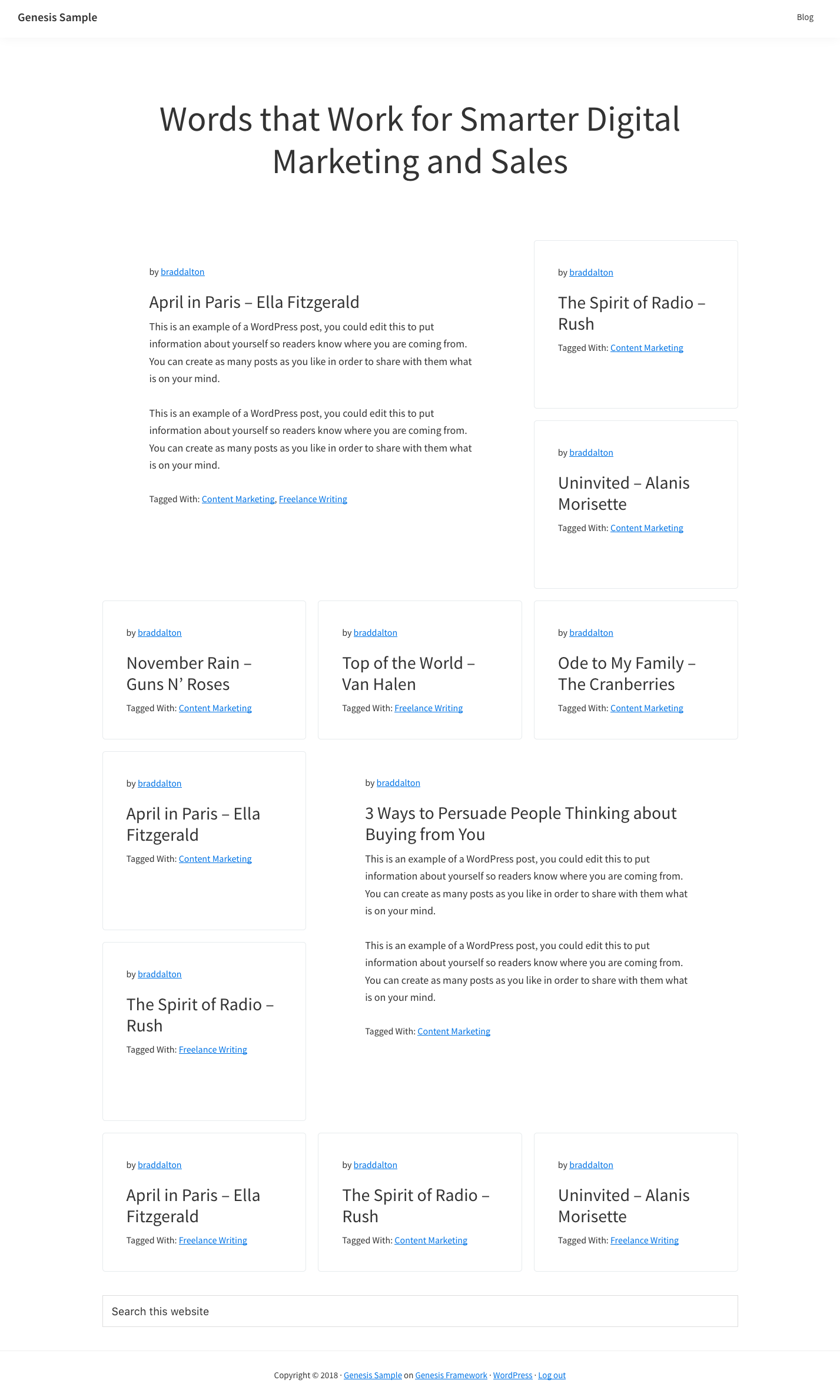
The download package includes CSS for media queries so each entry displays in a single column on smaller screens, as seen in the following demo video :
Demo Video #
Shows a similar layout to the front page of the Copyblogger website which you can use in any Genesis child theme. Note : The code may need modification for usage in other Genesis child themes.
Tested using the Genesis Sample & Authority Pro child themes ( works without any modification ).
Code Installation #
There’s 3 steps relating to usage of the files inside the download folder :
Step 1 : Upload the front-page.php file to the Genesis Sample child themes root directory.


Comments
Post a Comment